From Prompt to MVP in 53 Minutes — with Full AI Session Replay
I gave Claude Code 8 prompts to create vibe-replay, an open source tool that turns AI coding sessions into interactive replays. 53 minutes, 447 tool calls. Watch the entire process unfold.
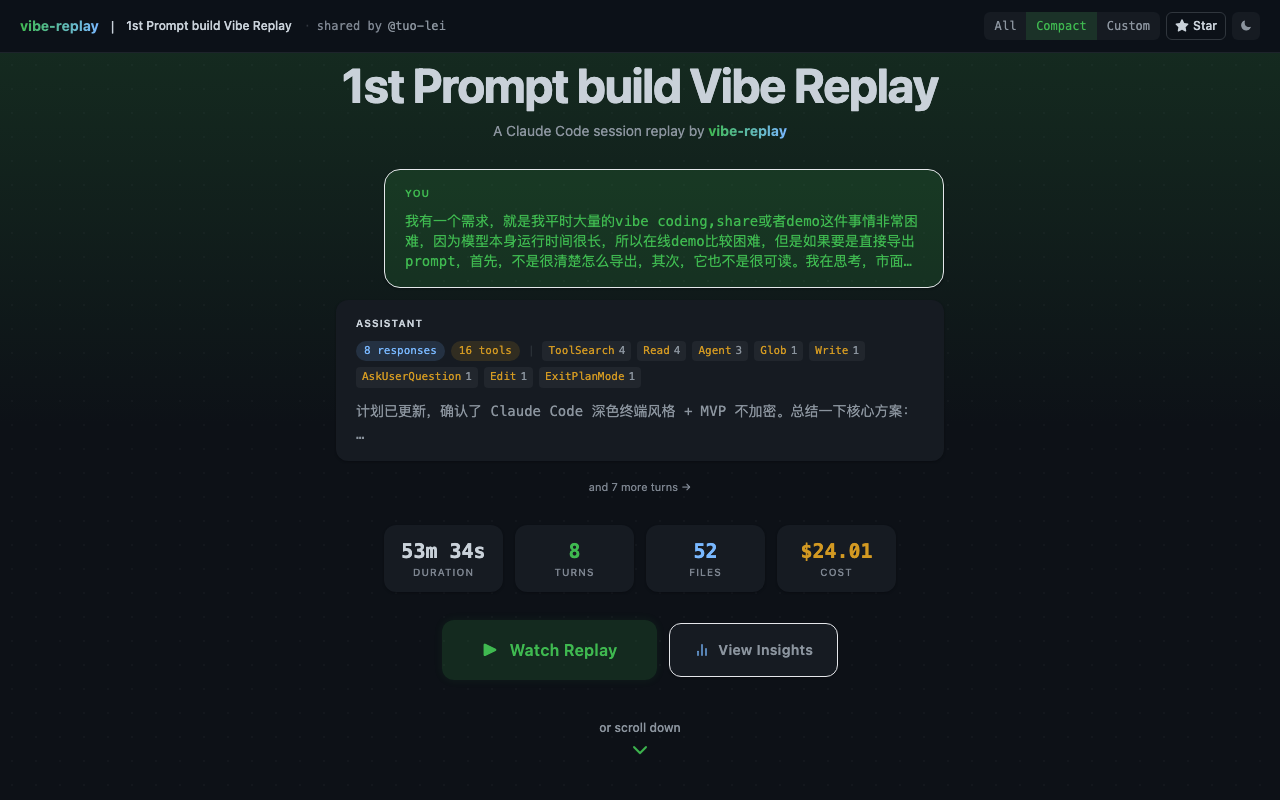
Watch the full interactive replay
That link isn’t a screen recording. It’s an interactive replay — you can drag the timeline, jump to any point, and see every prompt and every action the AI took.
What it shows is the birth of vibe-replay itself. Yes — this tool replays the process of its own creation.
8 prompts. 447 AI tool calls. 53 minutes.
Why vibe coding needs a replay tool
Vibe coding has an overlooked problem: the process is invisible.
You spend two hours with Claude Code building a feature. The resulting PR diff shows what changed — but your prompts, the AI’s reasoning, the abandoned approaches, the debugging — all of it is gone.
Screen recordings are too heavy (nobody watches 90 minutes of terminal footage). Raw JSONL logs are unreadable. Screenshots lose context.
I wanted something that compresses a full AI coding session into a few minutes of interactive animation. Like watching at 10x speed, but you can drag, search, and jump to any moment.
So I opened Claude Code and started building.
Three turning points from the Claude Code session
The full session has 663 scenes, but the story is concentrated in three turning points.
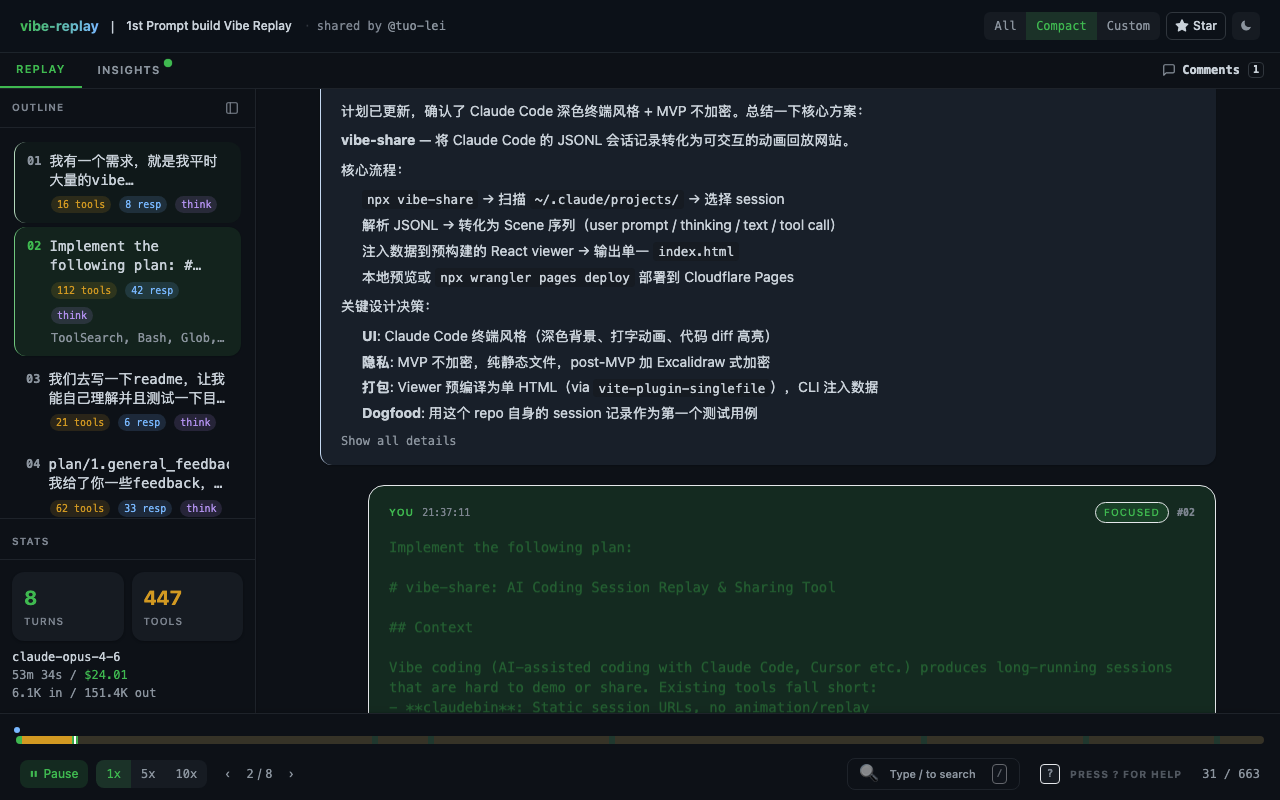
1. The first prompt was a product vision, not a coding instruction
“I have a need — I do a massive amount of vibe coding, and sharing or demoing it is extremely difficult… I’m wondering if there’s a tool out there that can generate an animated replay of the vibe coding process at 10x speed or faster…”
This is a full product vision, not “write me a function.” Claude’s response wasn’t to start writing code either — it first researched competitors, searched for tools like asciinema and claudebin, analyzed their strengths and weaknesses, and only then proposed an architecture.
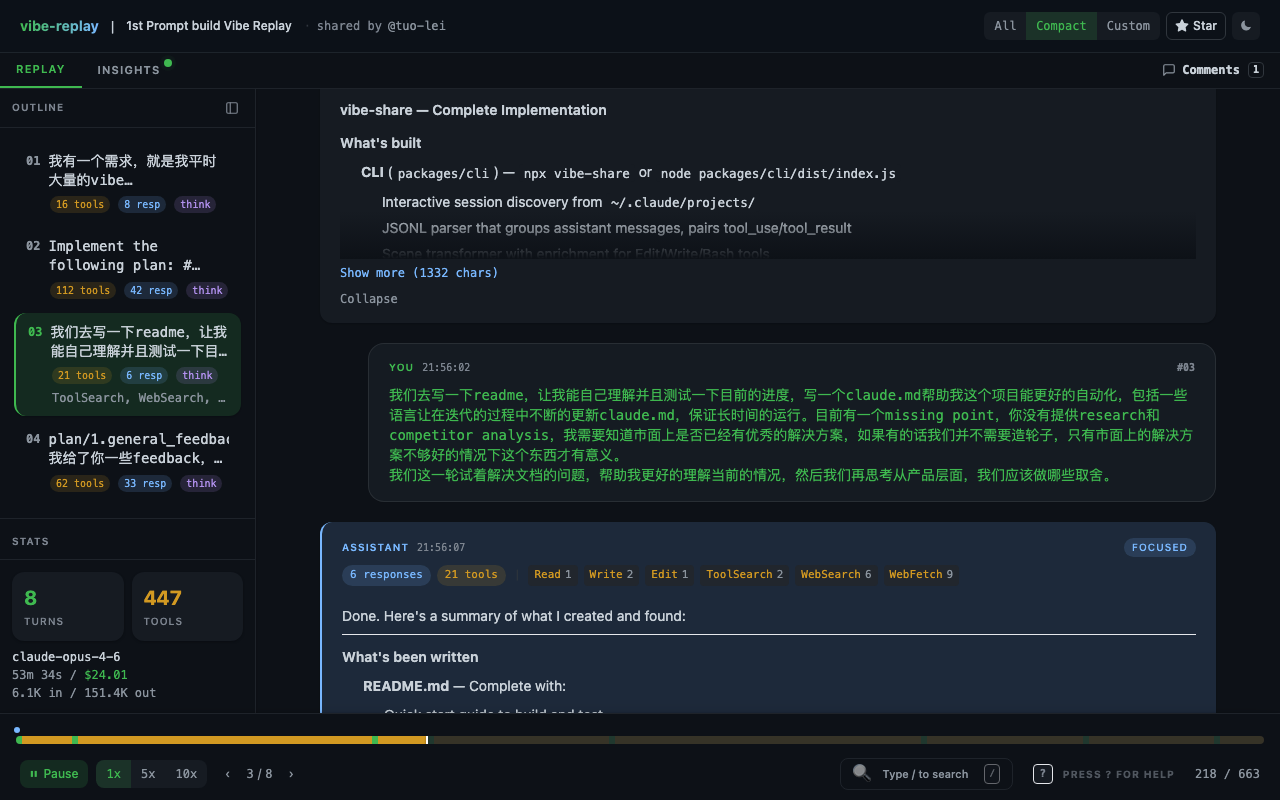
2. Knowing when to stop AI from building (Scene 218)
“You haven’t provided any research or competitor analysis. I need to know if there are already good solutions out there — if so, we don’t need to reinvent the wheel…”
By this point, the core functionality was mostly working. But I noticed Claude Code had skipped the competitive analysis and jumped straight to building. This prompt pulled it back — first confirm the project is worth building, then keep investing.
This is a crucial pattern in vibe coding: AI’s execution speed is a double-edged sword. The human’s most important role isn’t writing code — it’s steering direction.
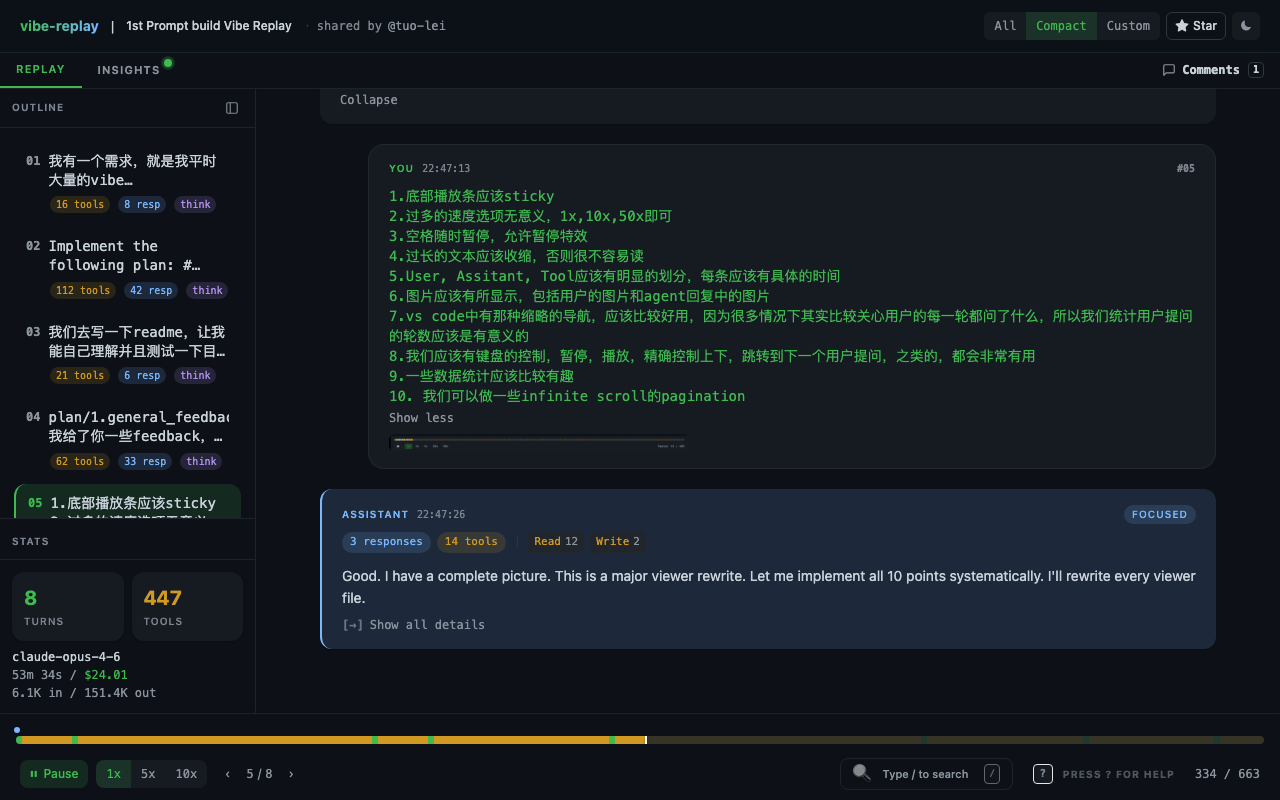
3. Ten UX improvements in a single prompt (Scene 334)
1. The playback bar should be sticky at the bottom 2. Too many speed options — just 1x/10x/50x 3. Spacebar should toggle pause 4. Long text blocks should collapse 5. User/Assistant/Tool sections need clear visual separation … (10 items total)
One prompt drove changes across dozens of files. This is vibe coding at peak efficiency: humans make UX decisions, AI handles implementation. One prompt, 56 tool calls.
The session by the numbers
| User prompts | 8 |
| AI autonomous actions | 447 tool calls |
| Avg. tool calls per prompt | 56 |
| AI output | 151,353 tokens |
| Session duration | 53.6 minutes |
| Actual human input time | ~10 minutes |
| API-equivalent cost | $24.01 |
The API-equivalent cost is what this session would cost using the Claude API directly. I used a Claude Code subscription ($200/mo with Max plan), so the actual out-of-pocket cost was just part of my monthly subscription.
For comparison: a senior developer building a React replay viewer + CLI + JSONL parser + keyboard controls + timeline navigation from scratch would take 2–3 days.
What happened after the first session
That 53-minute session was on March 5th, 2026. Over the following 10 days, I ran 20 more vibe coding sessions — adding a dashboard, GIF export, AI coaching feedback, GitHub OAuth, cloud sharing. API-equivalent total: $483 (all covered by my Claude Max subscription). Every session has its own replay.
Try vibe-replay on your own AI coding sessions
npx vibe-replayOne command. It discovers your Claude Code and Cursor sessions, picks the one you want, and generates an interactive replay.
The output is a single self-contained HTML file. No server, no account, no external requests. Open it in any browser, share it anywhere. Or sign in and share it to the cloud.