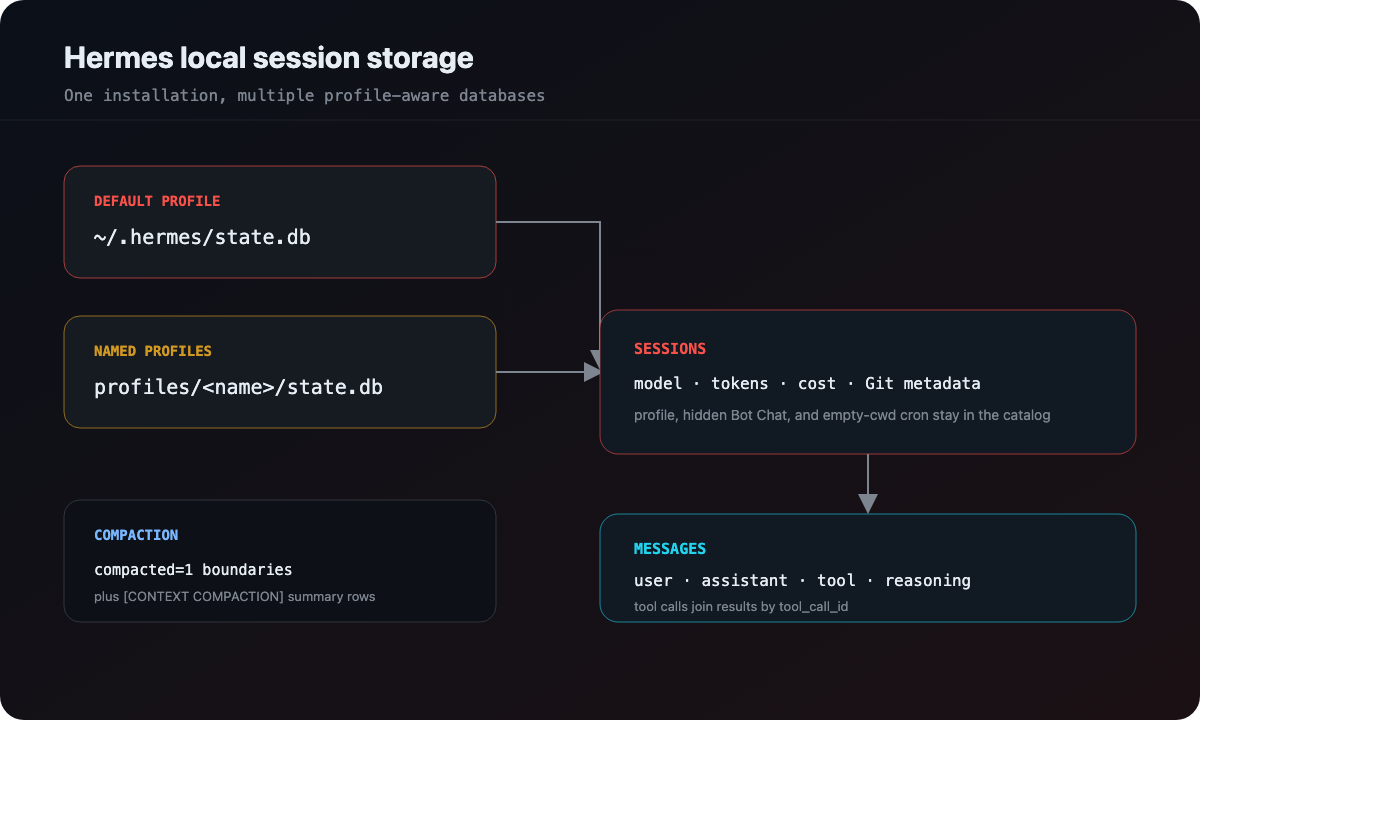
What Does Hermes Store Locally? state.db + Profiles
Hermes keeps session metadata, token accounting, reasoning, and tool calls in SQLite — with named profiles, Bot Chat, and two different compaction signals.
Replay your AI coding sessions


PR diffs show what changed. vibe-replay shows why — every prompt, every thought, every edit, in one shareable file.
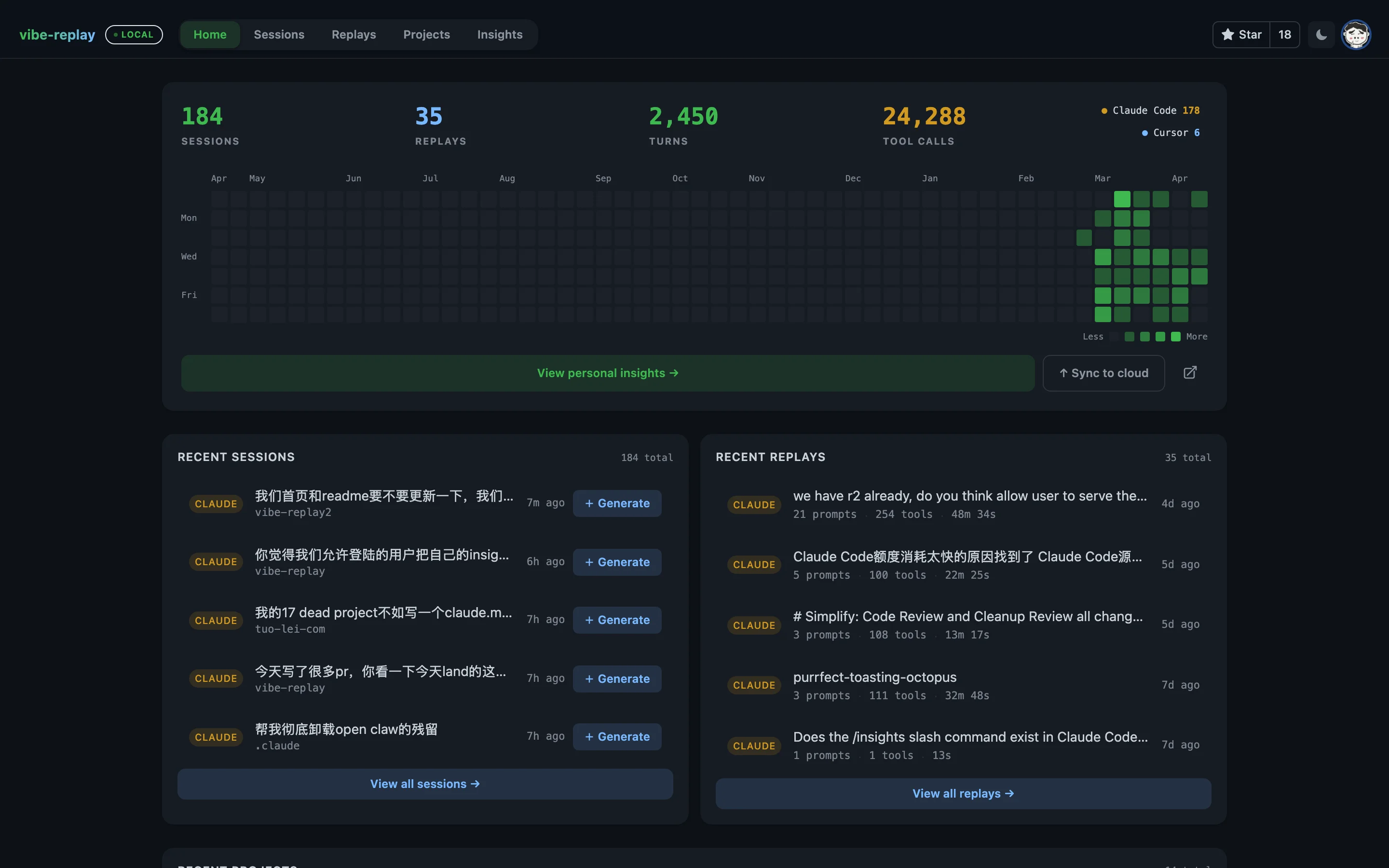
A local dashboard shows every session across Claude Code, Claude Desktop, Claude Cowork, Cursor, Codex, OpenCode, Hermes, Pi, and Grok Bot — with activity heatmaps, project analytics, cost estimates, and filters for repositories, tools, MCP servers, skills, and compactions. Generate a replay in one click, or add remote Codex/Claude Code/Pi sources over SSH.
$ npx vibe-replay -d

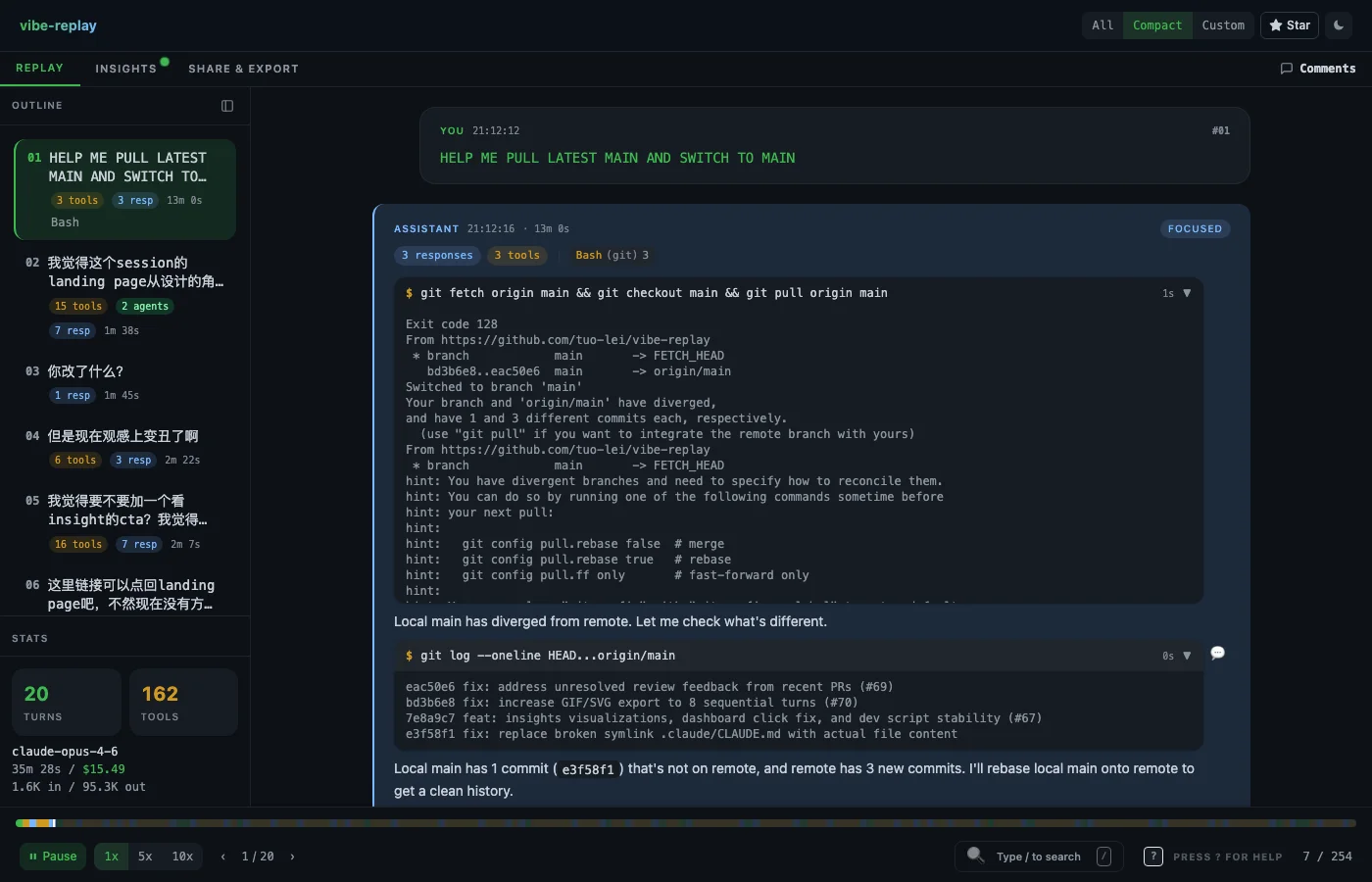
Pick a session and step through every prompt, thinking block, tool call, and code diff. Three view modes — All (full detail), Compact (condensed), and Custom (your filters). Navigate with the outline sidebar, search, or playback controls.

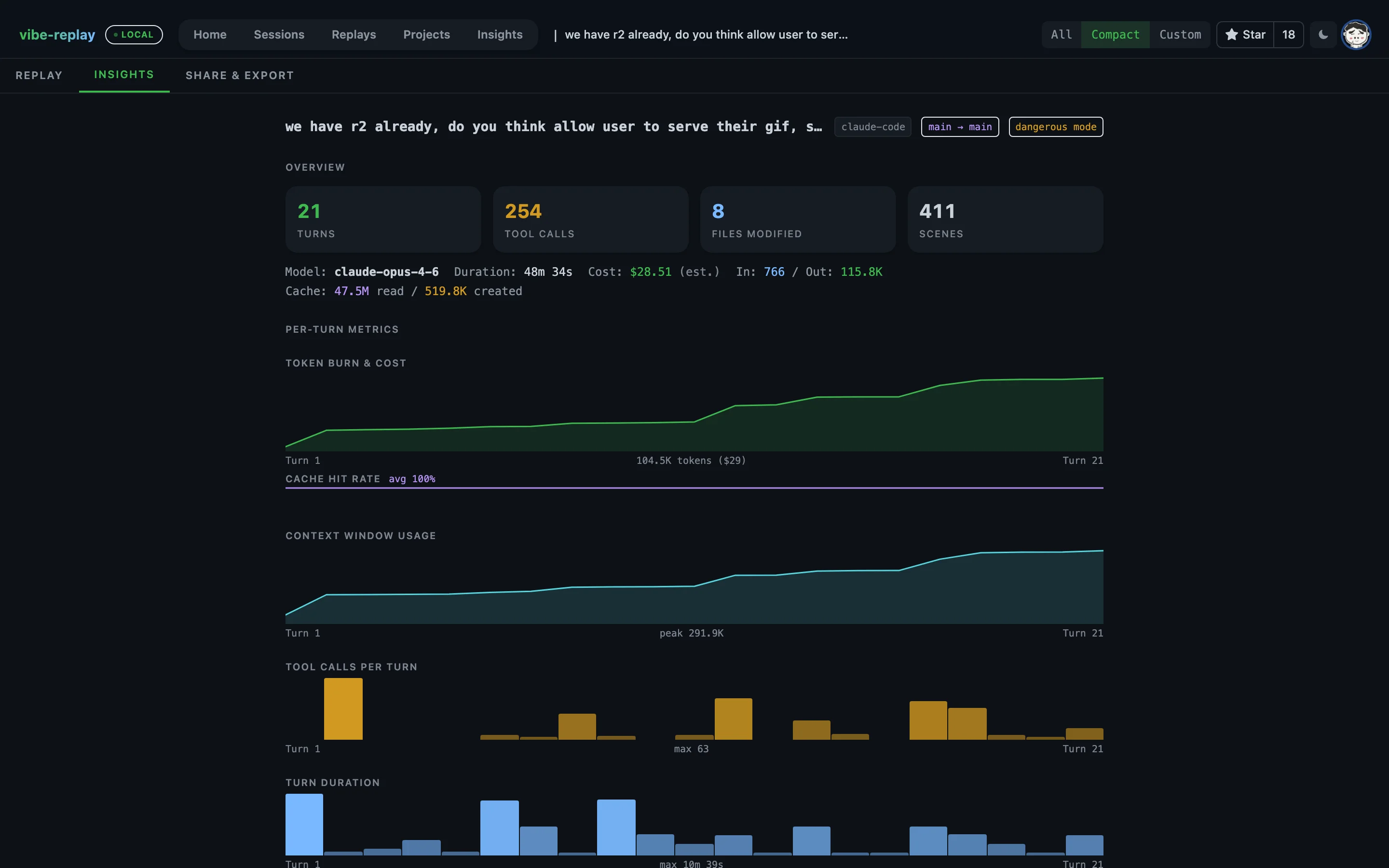
Drill into any session for auto-generated analytics: token burn & cost per turn, context window usage, cache accounting, tool/MCP/skill breakdowns, model distribution, percentile views, coverage, and data-quality notes.

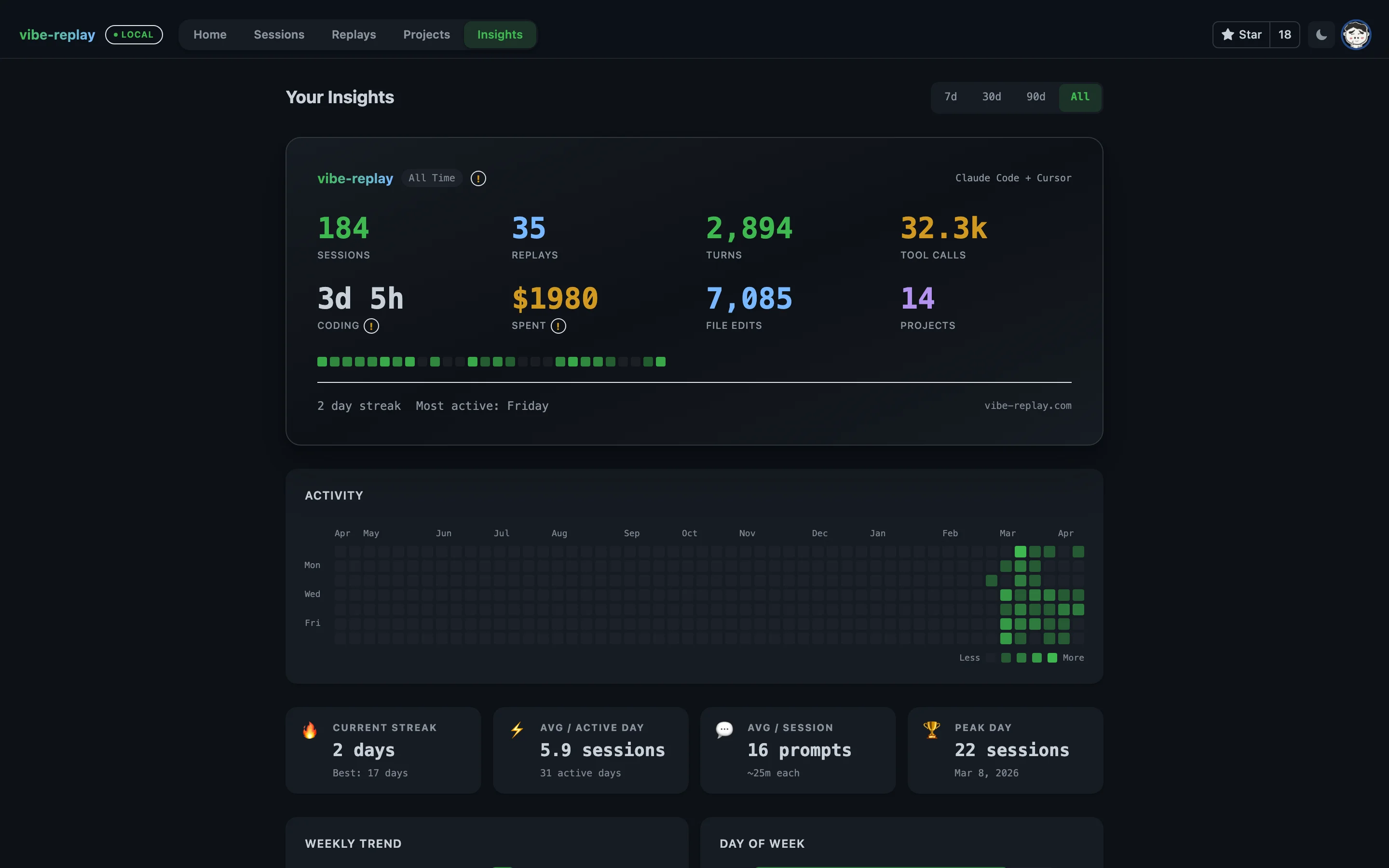
See the big picture — GitHub-style activity heatmap, streaks, weekly trends, top projects, model usage, provider breakdown, and cost tracking across all your sessions. Filter by time range to see how your coding evolves.

Export as a self-contained HTML file, animated SVG, GIF, or markdown summary. Publish to GitHub Gist for a shareable link on vibe-replay.com, or upload to the cloud. Everything works offline — zero external requests.
Try it on your own sessions — takes 10 seconds.
No account or setup is required for local replays. Run npx vibe-replay and pick a session. Optional Settings add remote SSH sources, cloud publishing, and the embedded AI Studio — no external coding CLI required.
Every replay is a single self-contained HTML file. Zero external requests. Drop it in Slack, email it, open it on a plane. No server needed, ever.
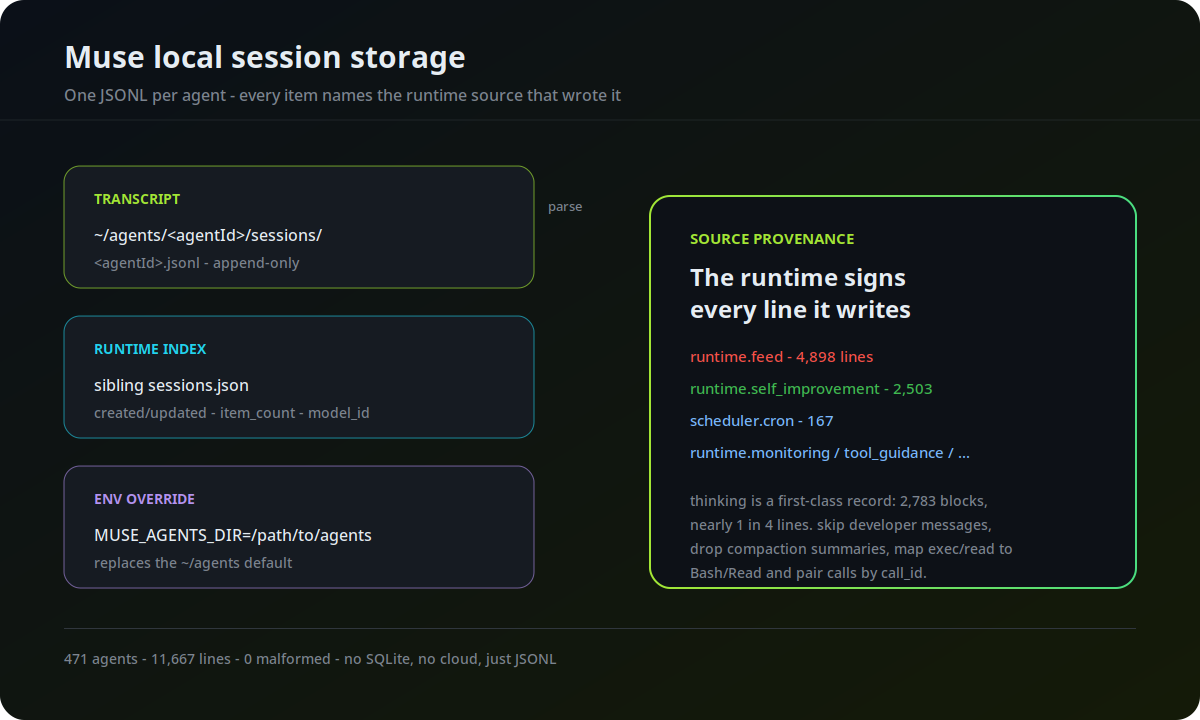
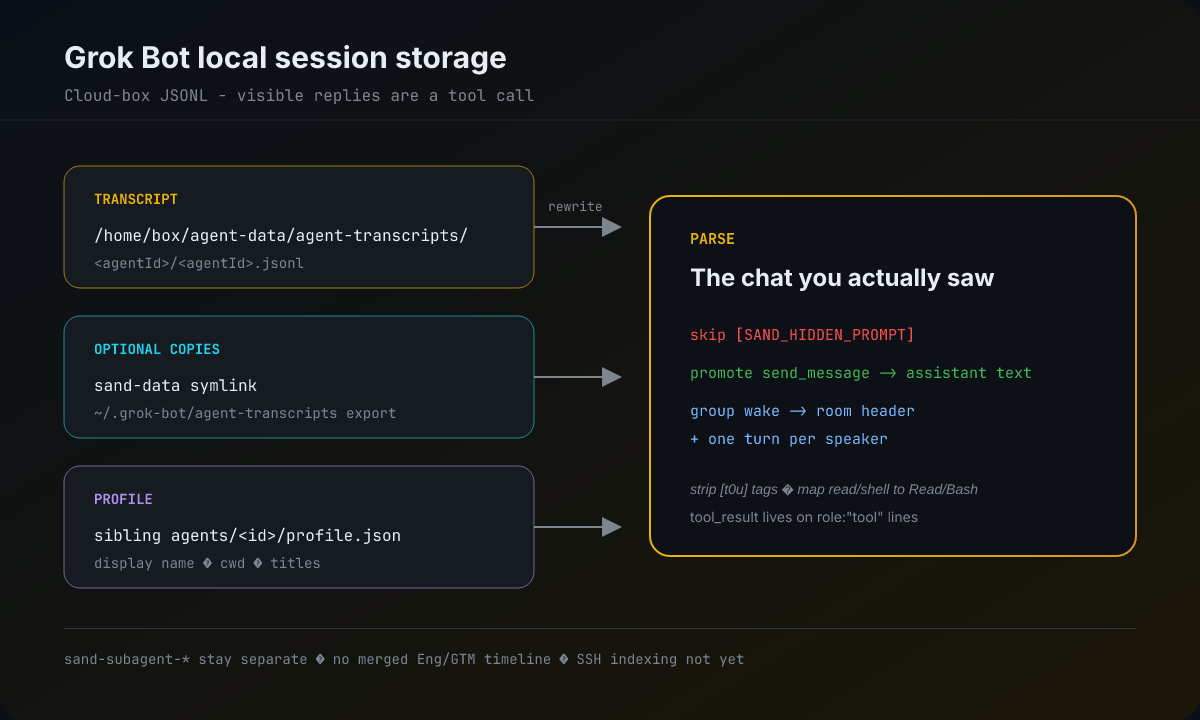
Claude Code, Claude Desktop, Claude Cowork, Cursor, Codex, OpenCode, Hermes, Pi, and Grok Bot — all auto-discovered from local files out of the box, including multi-file and resumed sessions.
Your AI coding wrapped: GitHub-style heatmap, streaks, weekly trends, top projects, model usage, and cost tracking — with drilldowns by provider, tool, MCP server, and time range. Works for local sessions and remote SSH sources alike.
Deep per-session analytics: token burn over time, context window usage, cache hit rates, tool call breakdown, model breakdown, and cost estimates with data-quality hints.
Publish to GitHub Gist for a shareable link. Export as markdown summary or animated SVG for PRs. Add comments that travel with the replay. Secret redaction built in.
Analyze, translate, and professionalize replays with the embedded Pi runtime and the provider/model you choose. Bring OpenAI-compatible local gateways or hosted endpoints — no external coding CLI required.
Ask read-only questions about sessions, scenes, tools, MCP usage, coverage, projects, and Insights. Get a stable link back to the exact replay or dashboard view — never an unreviewed mutation.
Add Codex, Claude Code, or Pi sessions from an OpenSSH host using your existing aliases, keys, agents, and ProxyJump setup. Remote data is cached locally and excluded from cloud insight sync.
Install vibe-replay as a plugin and your AI agent learns to generate replays on its own — during PR creation, session review, or on command. No context switching, no manual steps.
Finds your current session automatically — no file paths, no flags.
Generates markdown summary + animated GIF, embeds them in your PR description.
Just say "create a PR with session replay" and the agent handles everything.
Built on the open Agent Skills standard — works in Claude Code, Cursor, Codex, and more.
Install · recommended
/plugin, open the Discover tab, search vibe-replay, and install.Or via CLI
Then use it

Hermes keeps session metadata, token accounting, reasoning, and tool calls in SQLite — with named profiles, Bot Chat, and two different compaction signals.

OpenCode stores sessions, messages, and tool parts in SQLite—not JSONL. Here's the schema, the subagent rows, the compaction trap, and how to read it safely.

Pi stores a session as a JSONL tree, not a flat transcript: entries point to parents, branches can be abandoned, and compaction is its own event.
Install in seconds. No account needed. No config. Just run the command and share your session.