What AI Coding Insights Reveal Over Time
vibe-replay tracks AI coding activity across machines and tools. Explore GitHub-style heatmaps, streaks, model usage, and privacy-aware shareable profiles.
After enough AI-assisted coding sessions, patterns emerge — which models you use, which days are busiest, and whether a workflow is speeding up or slowing down.
vibe-replay’s Personal Insights feature turns local AI session history into an analytics dashboard. Optional sync can combine metrics across machines, and optional public sharing lets you choose what to reveal.
Your coding year, at a glance
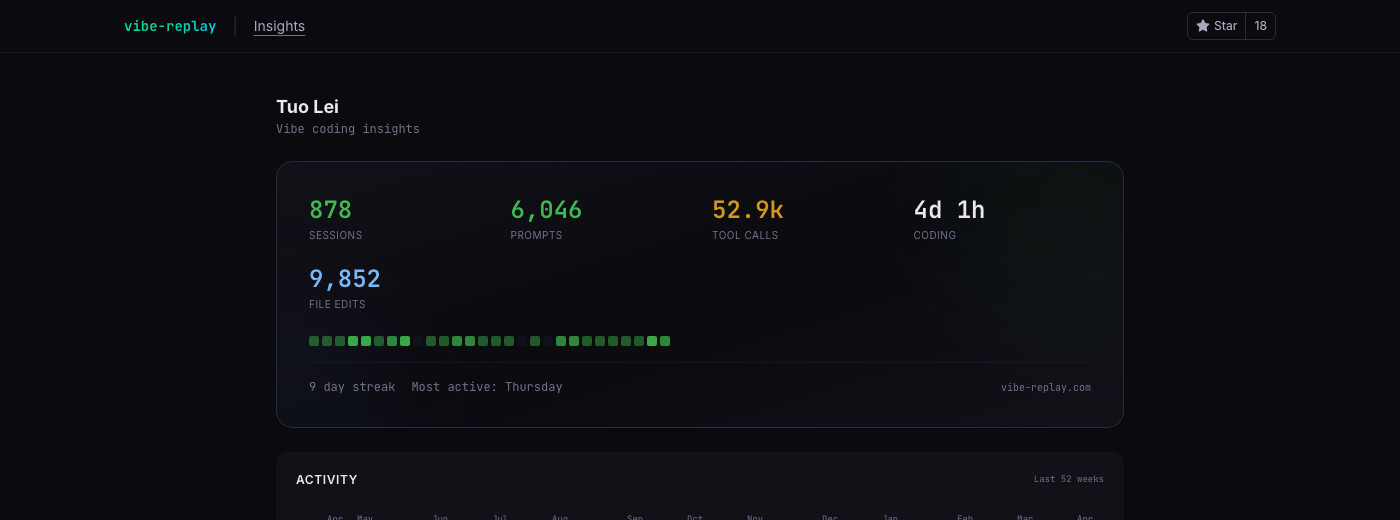
The top of the insights page shows your aggregate stats: total sessions, prompts, tool calls, time spent, and file edits. Below that, a mini heatmap shows your last 4 weeks of activity — a quick pulse check before you scroll into the details.
The dashboard keeps the numbers concrete: sessions, prompts, tool calls, file edits, coding time, projects, model usage, and estimated cost. You can inspect the aggregate without exporting conversation content.
The contribution heatmap
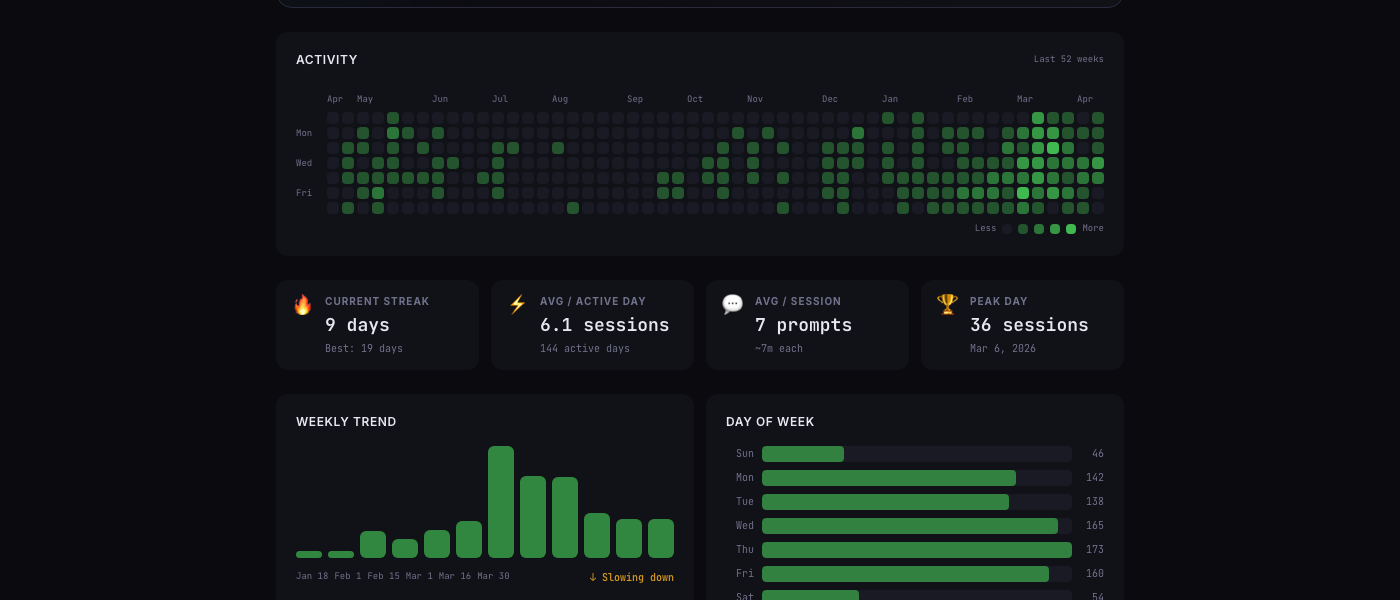
If you’ve used GitHub, this looks familiar. Each cell is a day, colored by how many sessions you ran. The full year view reveals patterns that individual sessions hide:
- A sparse period may reflect missing source files, not low activity. Provider retention and cleanup behavior vary, so the heatmap is only as complete as the data that was captured.
- A sudden ramp can be real, or it can reflect a new provider, a new machine, or the first time a local store was scanned.
- The densest weeks are useful for comparing workflow phases, but they should not be treated as a productivity score.
- Day-of-week patterns are descriptive, not prescriptive: a quiet Saturday can mean fewer sessions, a different schedule, or missing data.
This is why the persistent local store matters. Once vibe-replay captures aggregate session metrics, those metrics can remain available after a provider removes or rotates its source files. The local store does not recover data that was never scanned.
The streak cards add context: current streak, best streak, and average sessions on active days. They describe activity patterns; they do not measure code quality.
Weekly trends and day-of-week patterns
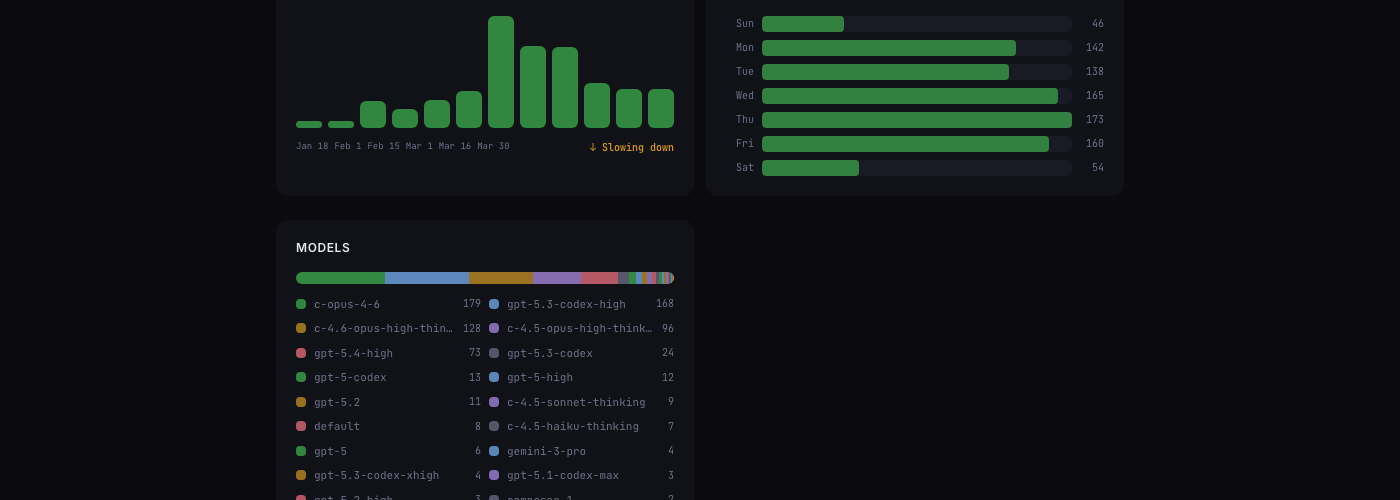
The weekly trend chart tells a story the heatmap compresses. You can see activity building through February and peaking in mid-March. The “Slowing down” label is auto-generated — it compares the last two weeks against your 90-day average.
The day-of-week breakdown can reveal whether a workflow clusters around workdays, weekends, or a release cadence. Treat it as a description of the selected data range, not a recommendation about when to code.
Which models do you actually use?
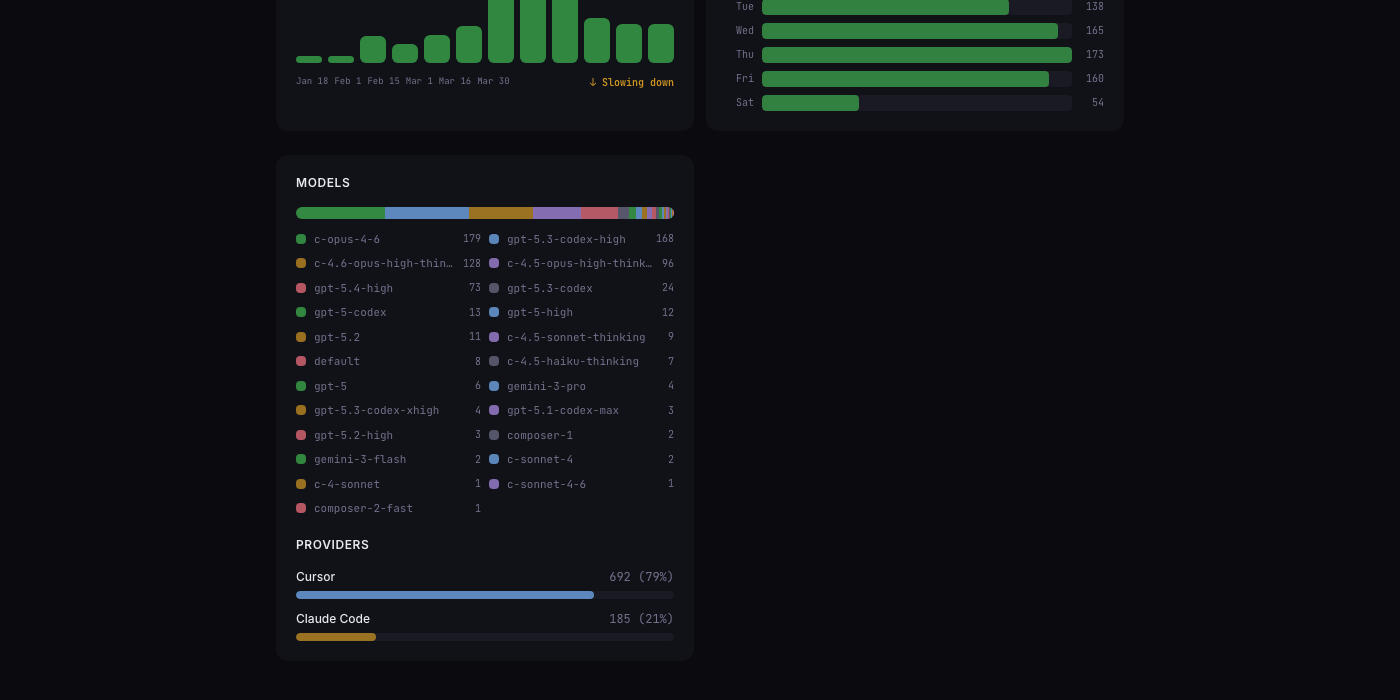
This section answers a practical question: which models and providers actually appear in the selected history?
- Model names are grouped from the provider records that were discovered locally.
- The long tail can show experiments, fallbacks, and provider defaults that are easy to forget.
- A provider split is meaningful only when the same date range and comparable source coverage are selected.
The Insights page makes that split visible without requiring conversation text. It also keeps incomplete usage and source coverage distinct from zero activity.
How it works under the hood
Personal Insights operates in three layers:
Local store — Every time you run npx vibe-replay, session metrics are persisted to ~/.vibe-replay/insights/store.json. Provider retention and cleanup behavior can vary, so the local store preserves the aggregate metrics that were captured before source files changed. It cannot reconstruct sessions that were never scanned.
Cloud sync — If you sign in, daily aggregates sync to a lightweight time-series store (one row per machine per day). Delta sync means only new or modified days are uploaded. Multi-machine usage merges automatically.
Public profiles — Optionally share your insights with a public URL. Privacy controls let you hide cost data, blur project names, or disable individual sections. The profile is read-only — viewers see exactly what you choose to show.
Share your vibe coding profile
You can create a shareable URL such as vibe-replay.com/shared-insights/?s=your-slug (or the short form vibe-replay.com/i/your-slug).
The privacy defaults are conservative — dollar amounts are hidden (model names and session counts are still visible), projects are visible but can be blurred, and you can toggle every section independently. Think of it as a GitHub contribution graph, but for AI-assisted coding.
Try it
npx vibe-replaySign in from the dashboard, and your insights page builds automatically from your local session history. No manual tracking, no configuration. If you’ve been using a supported provider, the source data may already be on your machine — Insights surfaces the aggregate without requiring conversation export.
Explore Insights · GitHub · Explore public replays
For the underlying local sources, see the storage guides for Claude Code and Cursor.