What Does Claude Code Store on Your Machine? A Deep Dive into ~/.claude/
858 MB in three weeks. Every prompt, every tool call, every file edit — all stored as plain text in ~/.claude/. Here's what's inside.
Run this right now:
du -sh ~/.claude/Mine says 858 MB. Three weeks of usage. 129 sessions (plus hundreds of sub-agent files), 1,642 prompts, 17,487 tool calls — all stored as plain text on my local machine.
Most Claude Code users never look inside this directory. I did, because I needed to parse it for vibe-replay. What I found was more than I expected — a complete record of every AI coding session, with data that reveals things Claude Code’s own UI never shows you.
Where are Claude Code sessions stored?
Every Claude Code session lives in ~/.claude/projects/ as a plain-text JSONL file. Each file contains the full conversation: every prompt you typed, every tool Claude called, every file it edited, even its internal thinking process.
Claude Code has a built-in /resume command that lets you browse past sessions and continue them. And /stats gives you a quick overview of your usage history. But both are scoped to the current terminal — you can’t search across sessions, compare them, or see what happened inside.
vibe-replay reads these same files and turns them into a browsable dashboard — organized by project, with activity charts, tool call counts, and cost estimates:
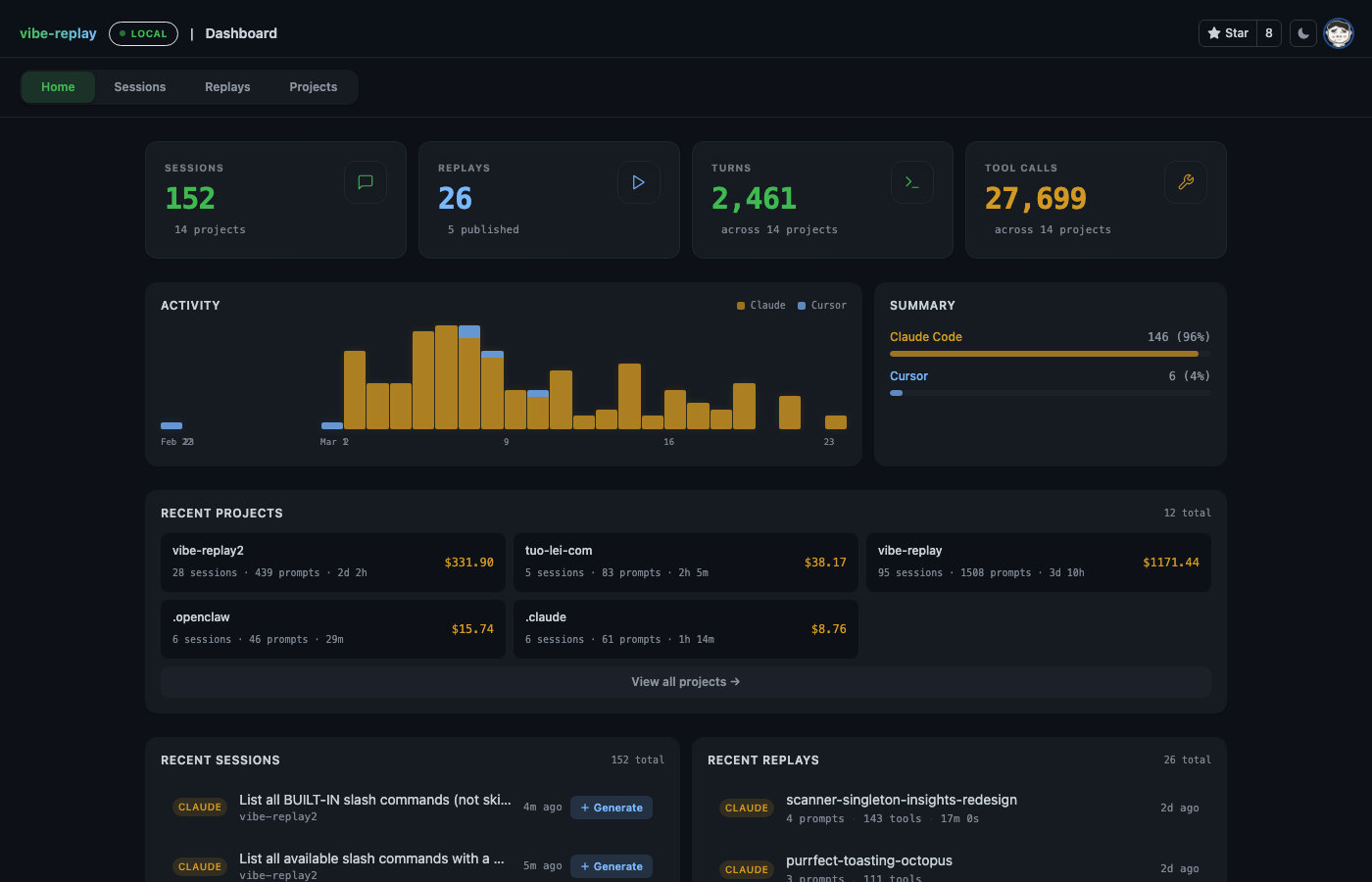
From here you can click into any session to replay it turn by turn, or drill into a project to see aggregated stats across all its sessions.
How much does Claude Code actually cost? (And how much does caching save?)
Claude Code has /cost to show token usage for the current session, and /usage to show your plan limits. Both are useful in the moment.
But every response also logs exact token counts to the JSONL — input, output, cache creation, and cache read. Aggregate them across all sessions and you get a picture neither command shows you:
| Metric | Value |
|---|---|
| Cache read tokens | 3.25 billion |
| Cache hit rate | 97.8% |
| API-equivalent cost (Opus pricing) | ~$7,900 |
| API-equivalent cost without caching | ~$50,200 |
| Saved by prompt caching | ~$42,300 |
To be clear: if you’re on Claude Max ($100 or $200/month), you’re not actually paying $7,900 — that’s the API-equivalent cost based on per-token Opus pricing. But the caching ratio is real and remarkable: 97.8% of input tokens come from cache, which is what makes flat-rate subscriptions viable.
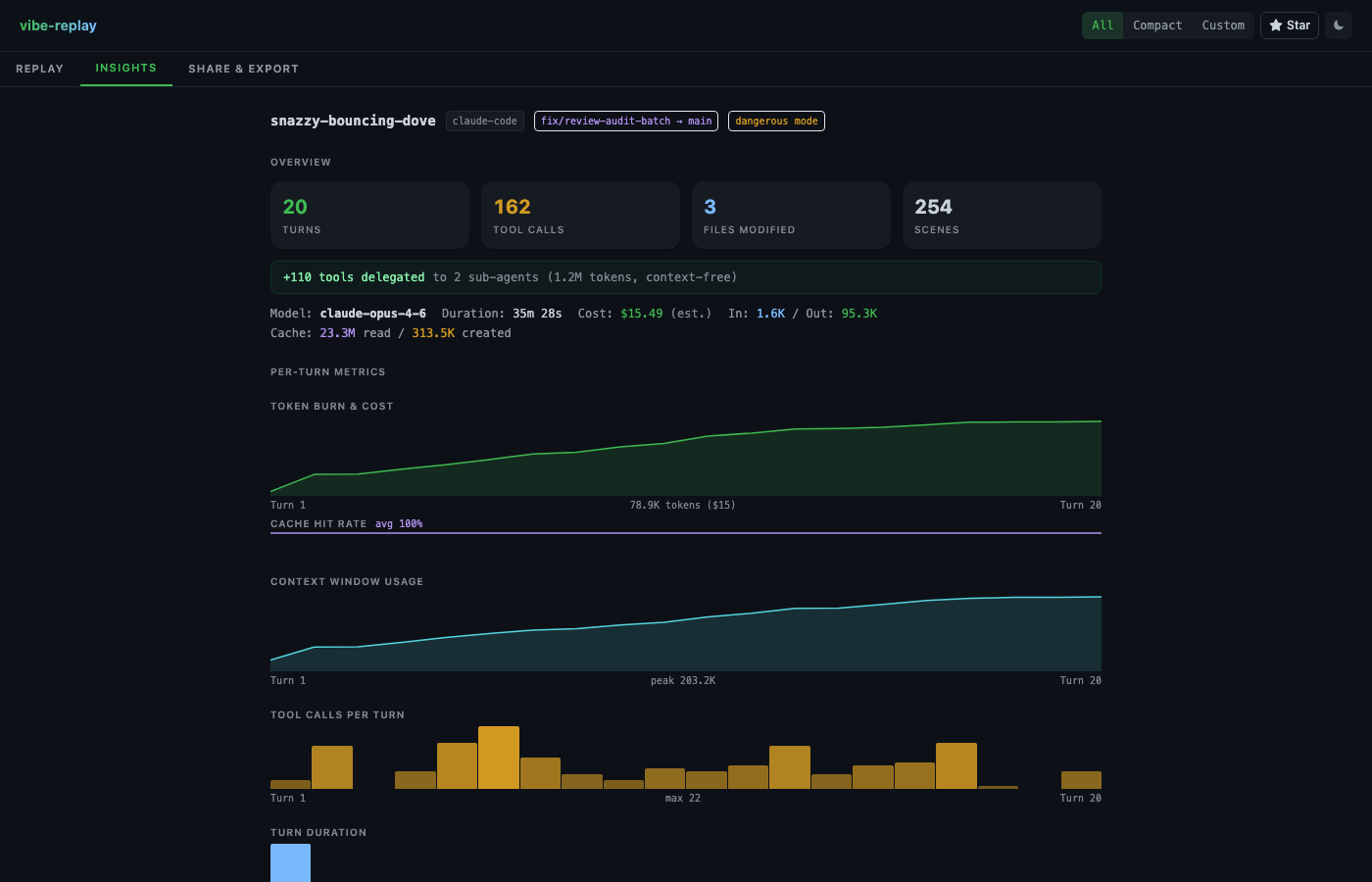
In vibe-replay, the Insights tab calculates this per session automatically — cost per turn, cumulative token burn, cache hit rate, and context window growth:
The CLI way (aggregate across all sessions — requires jq):
jq -s '[.[] | select(.type=="assistant") | .message.usage // empty] |
  { cache_read: (map(.cache_read_input_tokens // 0) | add),
    cache_create: (map(.cache_creation_input_tokens // 0) | add),
    output: (map(.output_tokens // 0) | add) }' \
  ~/.claude/projects/*/*.jsonl 2>/dev/null
Why does Claude Code forget things mid-session?
Context compaction. As a session progresses, every message, tool result, and file read adds tokens to the context window. When it hits the limit, Claude Code summarizes the conversation and restarts with a compressed version. This is why Claude sometimes “forgets” what you discussed earlier.
Claude Code gives you /context to see a colored grid of how full your context window is right now, and /compact to manually trigger compaction when you feel the context getting stale.
But neither tells you what happened historically. In vibe-replay’s Insights panel, you can watch it visually — the context window chart shows steady growth, then a sharp drop at compaction. You can see exactly how many tokens were in the window before compression (in my data: up to 167,142 tokens).
Across my 129 sessions, I found 51 compaction events. Now I can see exactly when and why Claude lost context.
The CLI way:
jq 'select(.type=="system" and .subtype=="compact_boundary")
  | {trigger: .compactMetadata.trigger, preTokens: .compactMetadata.preTokens}' \
  ~/.claude/projects/*/*.jsonl 2>/dev/null
What tools does Claude Code use most?
I assumed Claude Code mostly reads and edits files. The data tells a different story:
| Tool | Calls | Share |
|---|---|---|
| Bash | 7,452 | 43% |
| Read | 3,806 | 22% |
| Edit | 3,025 | 17% |
| Grep | 1,043 | 6% |
| Write | 506 | 3% |
| Agent (sub-agent) | 287 | 2% |
Bash dominates. Nearly half of everything Claude Code does is running shell commands — git status, pnpm build, ls, cat. The read-edit-write loop accounts for another 42%.
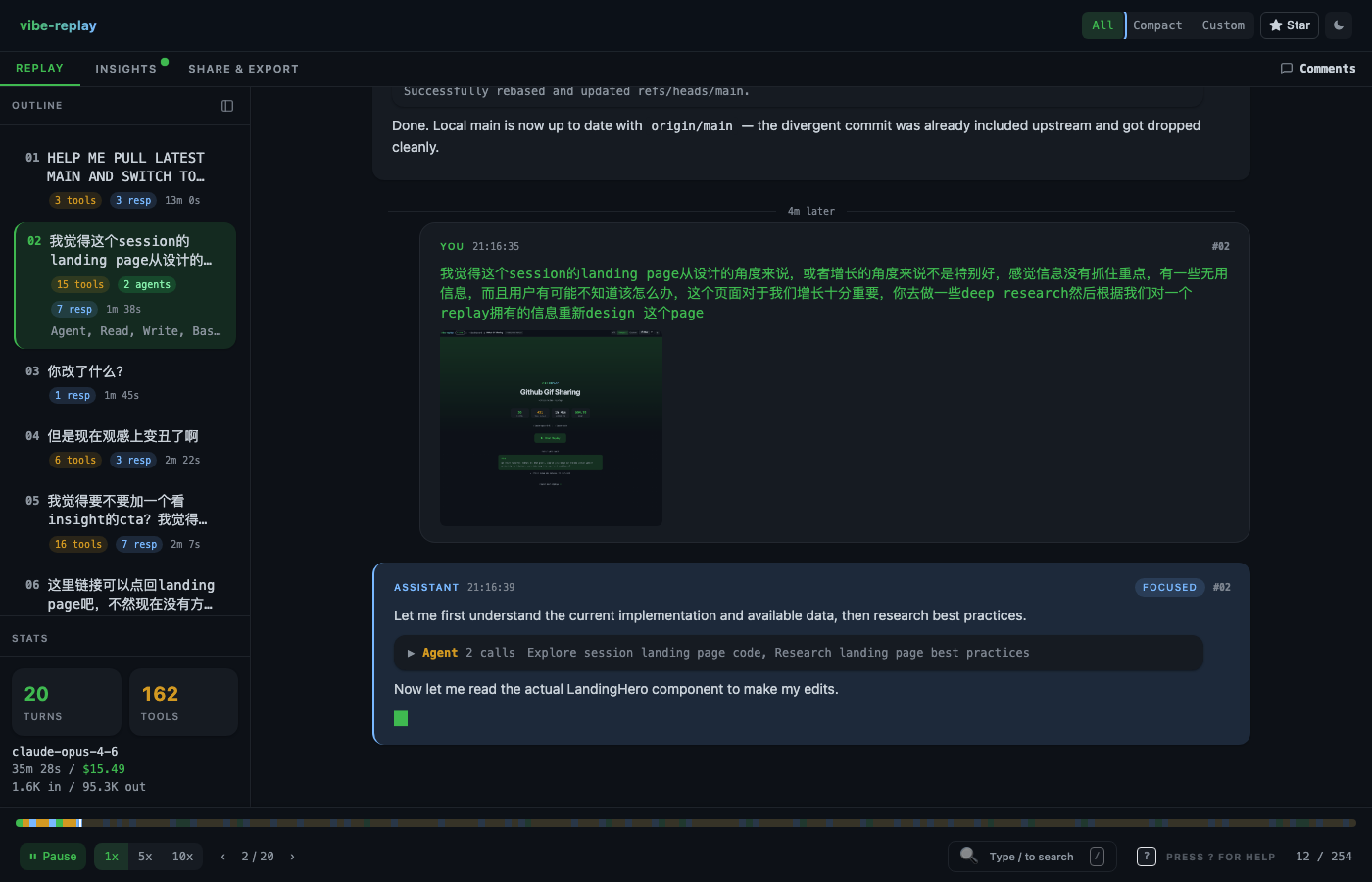
In the vibe-replay replay view, you can watch this play out in real time — what command Claude ran, what the output was, what it decided to do next:
The CLI way:
jq -r 'select(.type=="assistant") | .message.content[]?
  | select(.type=="tool_use") | .name' \
  ~/.claude/projects/*/*.jsonl 2>/dev/null | sort | uniq -c | sort -rn
What are Claude Code sub-agents, and what do they actually do?
When Claude Code spawns a sub-agent (via the Agent tool), you see a spinner and then a result. But behind that spinner, the sub-agent might run 50+ tools — reading files, searching code, running commands — all in its own context window.
Those 287 Agent calls in my data spawned 567 sub-agent files, each with its own JSONL conversation and a metadata file:
{
  "agentType": "general-purpose",
  "description": "Research blog SEO best practices"
}
In vibe-replay, sub-agent work is expandable inline — you can open one up and see its entire internal conversation: what it was tasked with, what tools it ran, what it found. It’s a whole hidden layer of work that’s normally invisible.
Does Claude Code record every prompt you type?
Yes. ~/.claude/history.jsonl is a global index of every prompt across all projects:
{
  "display": "Fix the authentication bug in login.ts",
  "timestamp": 1772598497513,
  "project": "/Users/you/Code/myapp",
  "sessionId": "f79f8cf8-..."
}
My file has 1,642 entries across 12 projects. It’s a complete chronological diary of your AI-assisted work — what you asked, when, and in which project. If you pasted something, that’s recorded too (large pastes get saved separately in ~/.claude/paste-cache/).
# Try it — how many prompts have you typed?
wc -l ~/.claude/history.jsonl

# Breakdown by project
jq -r '.project' ~/.claude/history.jsonl | sort | uniq -c | sort -rn
Can you recover files that Claude Code changed?
Yes. Start with /rewind — Claude Code’s built-in command to roll back your conversation and code to a previous checkpoint.
But there’s a deeper layer. Before every edit, Claude Code saves a snapshot to ~/.claude/file-history/, organized by session with versioned copies:
file-history/<session-uuid>/
├── 12e0d72e037caf5f@v1    # src/auth.ts before first edit
├── 12e0d72e037caf5f@v2    # before second edit
├── 12e0d72e037caf5f@v3    # before third edit
The filename is SHA-256 of the file’s absolute path, truncated to 16 hex chars. You can locate snapshots for any file directly:
HASH=$(echo -n "/Users/you/Code/myapp/src/auth.ts" | shasum -a 256 | cut -c1-16)
ls ~/.claude/file-history/*/${HASH}@*
Across my sessions, that’s 36 MB of invisible undo history. Even if /rewind doesn’t go far enough, or you’ve already started a new session — these snapshots are still on disk.
What else is in ~/.claude/?
- Shell snapshots (
shell-snapshots/) — your complete shell environment captured periodically (~148 KB each): every function, alias, env var, and PATH entry. This is how Claude Code runs commands in your exact environment. - Extended thinking — Claude’s full internal reasoning is stored verbatim in every session JSONL, with cryptographic signatures verifying the content. I have 2,130 thinking blocks across my sessions — you can read every step of Claude’s decision-making process.
- 343 embedded screenshots — base64 PNG stored inside the JSONL. Every image you paste or Claude captures is preserved.
- 118 PR links — Claude records every PR it creates. Find them all:
jq 'select(.type=="pr-link")' ~/.claude/projects/*/*.jsonl
How can I visualize all of this?
Claude Code’s built-in commands are a good starting point: /cost for current session costs, /context for context window status, /stats for usage history. Use them.
For the full picture — token burn over time, context window growth, tool distribution, sub-agent internals, thinking blocks, every file edit as a navigable timeline:
npx vibe-replayOne command. It discovers your Claude Code (and Cursor) sessions, you pick one, and it generates a self-contained HTML replay. No server, no account, no external requests. Open it in any browser, share it with your team, or publish it to the cloud.
Your ~/.claude/ directory is a goldmine. Stop grepping through JSONL.
Try it on your own sessions · Watch a live demo · Explore public replays